Dumptruck 🚛
The fastest way to get a thought out of your head and into a file.
Press one shortcut, type, hit Return. Your note is saved as a Markdown file — no app to switch to, no window to find, no clicking New Note. Dumptruck lives in your menubar and stays out of the way until the instant you need it.
What it is
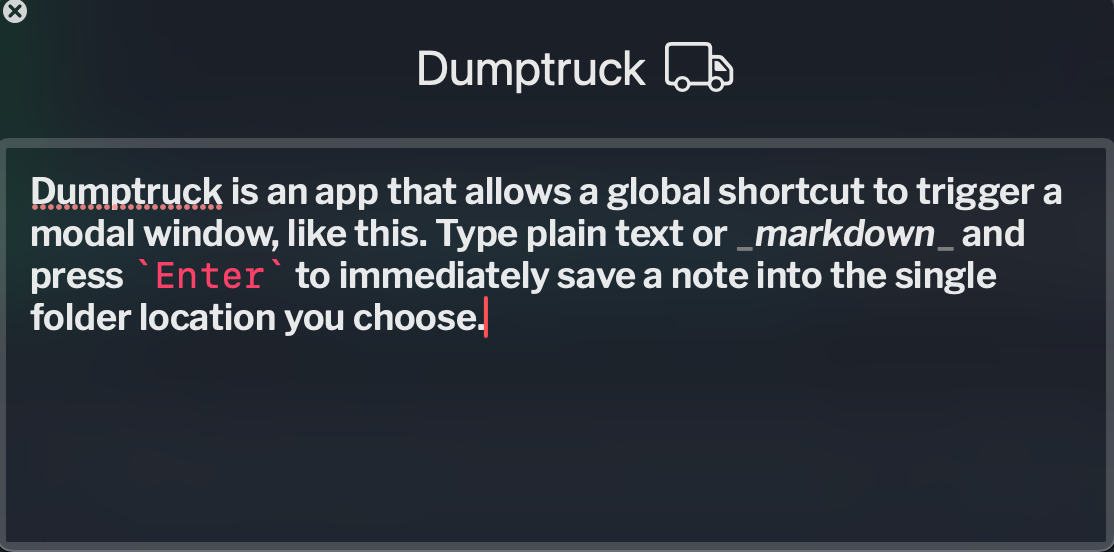
Dumptruck is a native macOS menubar app for fast, Markdown-friendly text capture. A global shortcut (default ⌘\) summons a clean capture window from any app. You type, you press Return, and the note drops into a folder of your choosing as a plain .md file.
That's the whole idea — capture should be frictionless and the result should be yours: open files, in a folder you control, that work with Obsidian, iCloud, git, or anything else that reads text.
No Dock icon. No browser tab. No login. Just capture.
Why you'll like it
- One shortcut, from anywhere. The capture window appears over whatever you're doing and disappears the moment you press Return. Your flow never breaks.
- Real Markdown, highlighted as you type. Bold, italics, code, headings, links and lists are styled live in the editor.
- Plain files you own. Every note is a
.mdfile in a folder you pick — a perfect Obsidian inbox or daily scratchpad. Drafts persist between sessions, so nothing gets lost.
How it works
- Press
⌘\(or your own shortcut) from any app. - Type your note. Use Markdown freely — it's highlighted as you go.
- Press Return to save and close. (
Shift+Returnfor a newline,Escto close while keeping the draft.)
Notes are named automatically from their first line, e.g. 2026-05-26-1430-meeting-notes.md, and saved into the single folder you chose in Settings.
Made for Obsidian
Because every note is just a .md file dropped into a folder you choose, Dumptruck is a natural fit for Obsidian. Point its save folder at an Inbox folder inside your vault, and every capture lands in Obsidian automatically — no copy-paste, no export, no sync step.
The result is a true frictionless inbox: hit the shortcut from any app, dump the thought, and get back to work. Later, inside Obsidian, you triage at your own pace — tag it, link it with [[wikilinks]], or file it where it belongs. Since the notes are already clean Markdown, headings, lists, and links render the moment they arrive. Dumptruck handles the capture; Obsidian handles the thinking.
Install
Requires macOS 14 Sonoma or later.
Download the latest .dmg from Releases and drag Dumptruck to your Applications folder.
Or install with Homebrew:
brew tap matchavez/dumptruck
brew install --cask dumptruck
First launch: macOS will block the app the first time. Right-click it → Open → confirm in the dialog. You only need to do this once. (Or, from Terminal: xattr -dr com.apple.quarantine /Applications/Dumptruck.app.)
Keyboard
| Key | Action |
|---|---|
⌘\ (default) |
Toggle the capture window from anywhere |
Return |
Save and close |
Shift+Return |
Insert a newline |
Esc |
Close without saving (draft is kept) |
⌘, |
Open Settings |
Make it yours
Open Settings with ⌘,. You can change the save folder, the filename template, the global shortcut, the editor font, the theme, the save sound, and whether Dumptruck launches at login or hides its menubar icon.
Built for macOS. Source and details on GitHub.